How to Remove ChexSystems Record Fast in 2026 (Dispute Guide)

In most cases, you are not denied because of bad credit. You are denied because of a hidden record in a consumer reporting database known as ChexSystems.
The good news is that a ChexSystems flag is not a permanent mark on your financial life. Under federal law, you have strict rights that allow you to inspect, challenge, and delete inaccurate or unverified marks. Under the Fair Credit Reporting Act (FCRA), reporting agencies must investigate and remove items that cannot be verified, often within 30 days.
Key Takeaways
- ChexSystems is a Specialty Bureau: It tracks your deposit history, not your credit score, and keeps records for up to 5 years.
- Federal Law Protects You: Under the FCRA, ChexSystems must verify disputed records within 30 days or delete them permanently.
- Errors Are Common: Incorrect names, identity theft, or old paid items can be cleared through a formal dispute.
- Immediate Solutions Exist: While waiting for disputes to resolve, you can open a second-chance checking account immediately.
Table of Contents
- What Is ChexSystems and Why Are You on It?
- ChexSystems vs. Credit Bureaus: What Is the Difference?
- Step-by-Step: How to Remove a ChexSystems Record Fast in 2026
- Free ChexSystems Dispute Letter Template (Copy and Paste)
- What to Do While Waiting: Best Second Chance Banking Options
- Frequently Asked Questions (FAQs)
- Conclusion
What Is ChexSystems and Why Are You on It?
ChexSystems is a national specialty consumer reporting agency governed by the Fair Credit Reporting Act (FCRA). Think of it as a nationwide database that tracks how people handle deposit accounts. Over 80% of US financial institutions use ChexSystems to screen applicants before opening new checking or savings products.
When you apply for a deposit account, the financial institution pulls your ChexSystems Consumer Disclosure Report. If another institution logged a negative mark against your name in the past, your application will likely be flagged and rejected automatically.

How Long Do Records Stay on ChexSystems?
By default, negative records remain on your ChexSystems report for five years from the date they were reported. Once five years pass, ChexSystems is required by federal standards to drop the entry automatically. However, waiting five years to access basic everyday banking features is rarely practical.
5 Most Common Triggers for a Negative ChexSystems Entry
- Unpaid Overdraft Fees and Negative Balances: Leaving an account in the red after automated fees kick in is the primary cause of negative marks. If you want to avoid these costly charges in the future, review our detailed guide on How to Avoid Bank Overdraft Fees in 2026: 8 Proven Ways.
- Involuntary Account Closures: If an institution closes your account due to uncollected fees or policy violations, it gets flagged. To understand why financial institutions lock down access without warning, read our deep dive on Why Banks Freeze Checking Accounts Suddenly in 2026 (And How to Unfreeze Yours Fast).
- Bounced Checks and Non-Sufficient Funds (NSF): Repeatedly writing checks or authorizing electronic drafts without sufficient funds prompts institutions to flag your history for risk.
- Suspected Fraud or Identity Theft: If someone opens an account in your name or uses your account for fraudulent transactions, your record will reflect a fraud indicator until disputed.
- Administrative and Data Entry Errors: Financial institutions frequently report incorrect Social Security numbers, mix up family members with similar names, or fail to record settled balances.
ChexSystems vs. Credit Bureaus: What Is the Difference?
A common point of confusion for everyday consumers is mixing up ChexSystems with traditional credit reporting agencies like Equifax, Experian, and TransUnion.
While both fall under FCRA regulation, they track completely separate financial activities. If you are starting fresh and trying to establish credit for the first time, check out our step-by-step roadmap on How to Build a Credit Score From Zero: A 12-Month Plan.
| Feature / Comparison | ChexSystems | Credit Bureaus (Equifax, Experian, TransUnion) |
|---|---|---|
| Primary Focus | Deposit account history (checking and savings) | Credit obligations, revolving lines, and payment history |
| Main Data Collected | Overdrafts, NSF fees, account closures, deposit fraud | Payment history, credit utilization, debt balances |
| Governing Law | Fair Credit Reporting Act (FCRA) | Fair Credit Reporting Act (FCRA) |
| Impact on FICO Score | None (Does not directly affect credit scores) | High (Directly generates your FICO and VantageScore) |
| Retention Period | 5 Years | 7 Years (10 years for Chapter 7 bankruptcy) |
| Primary Users | Retail deposit institutions and credit unions | Auto financing providers, issuers, credit cards |
Step-by-Step: How to Remove a ChexSystems Record Fast in 2026
If you have a negative mark holding you back, follow this structured six-step dispute strategy to challenge and remove entries from your file.
- Step 1: Request Free Consumer Disclosure Report
- Step 2: Audit File for Errors, Outdated Data, or Misidentification
- Step 3: File Direct Dispute with ChexSystems (30-Day Rule) → If resolved/deleted, record is cleared; otherwise proceed to Step 4
- Step 4: Contact Reporting Institution Directly (623 Dispute)
- Step 5: Negotiate “Pay for Deletion” Agreement (If Accurate and Unpaid)
- Step 6: Escalate Unresolved Issues to the CFPB
Step 1: Request Your Free ChexSystems Consumer Disclosure Report
Before disputing anything, you need to see exactly what is written in your official file. Under the FCRA, you are entitled to a free report every 12 months, or within 60 days of being denied an account.
- Online: Visit the official portal at
chexsystems.comand fill out the Consumer Disclosure request form. - Phone: Call ChexSystems automated phone system at 800-513-7125.
- Mail: Send a written request including your full legal name, address, Social Security number, and date of birth to:
ChexSystems, Inc.
Attn: Consumer Relations
P.O. Box 580110
Minneapolis, MN 55458
Step 2: Check Your Report for Errors, Outdated Info, or Paid Debts
Review every entry line by line. Under federal accuracy mandates, even minor data mismatches can qualify an entry for full deletion.
Check for these specific errors:
- Outdated Entries: Is the reported item older than five years?
- Incorrect Balances: Does the reported balance exceed what you actually owed?
- Unrecorded Payments: Did you pay off a past balance that still shows as open or unpaid?
- Identity Mismatches: Is there an account listed that you never opened yourself?
- Missing Consumer Notes: If you previously reported identity theft or fraud, is that documentation attached?
Step 3: File a Direct Dispute With ChexSystems
Once you spot an inaccuracy or unverified claim, submit a formal dispute directly to ChexSystems online or via Certified Mail with Return Receipt Requested.
Under 15 U.S.C. § 1681i of the FCRA, ChexSystems must investigate your claim and contact the reporting institution within 30 days. If the reporting institution fails to respond, verify, or substantiate the entry within that 30-day window, ChexSystems is legally obligated to delete the record from your file immediately.
Step 4: Dispute Directly With the Reporting Bank (623 Dispute Method)
If ChexSystems returns a verified result but you know the record contains factual errors, invoke Section 623 of the FCRA. This section regulates the entities that supply data to consumer bureaus.
Send a formal Section 623 Direct Dispute letter directly to the loss-prevention or compliance department of the reporting institution. Request that they provide original signed account agreements, fee disclosures, or audit records proving the accurate balance. If they cannot produce physical or digital documentation verifying the balance, they must notify ChexSystems to remove the negative entry.
Step 5: Negotiate a “Pay for Deletion” Agreement
If the negative record is completely accurate and you owe a legitimate balance, disputing accuracy will not work. Instead, negotiate directly with the collection department of the reporting institution.
Contact the institution in writing or by phone and offer to pay the outstanding balance in full (or a settled percentage) on one explicit condition: they must submit an automated update to ChexSystems requesting complete removal of the entry.
Crucial Rule: Always get the “Pay for Deletion” agreement in writing on official letterhead before submitting any electronic payment. A verbal promise from a phone representative is not legally enforceable.
Step 6: Escalate to the CFPB If They Ignore Your Dispute
If ChexSystems or the reporting institution ignores your communications, fails to complete investigations within 30 days, or verifies blatant errors without proof, file a complaint with the Consumer Financial Protection Bureau (CFPB).
- Visit
consumerfinance.gov/complaint. - Select Consumer Reporting or Checking or Savings Account.
- Upload copies of your initial dispute letter, delivery confirmations, and ChexSystems response letters.
Free ChexSystems Dispute Letter Template (Copy and Paste)
Use this pre-formatted, legally grounded template when submitting your initial dispute via Certified Mail to ChexSystems.
[Your Full Legal Name]
[Your Current Mailing Address]
[City, State, Zip Code]
[Date of Birth]
[Last 4 Digits of Social Security Number]

[Date]

ChexSystems, Inc.
Attn: Consumer Relations
P.O. Box 580110
Minneapolis, MN 55458

RE: Notice of Dispute under FCRA 15 U.S.C. § 1681i

To Whom It May Concern,

I am writing to formally dispute the following item(s) currently appearing on my ChexSystems Consumer Disclosure Report. I recently reviewed my file and discovered information that is inaccurate, unverified, or incomplete.

Disputed Item Details:
Name of Reporting Institution: [Name of Bank or Credit Union]
Reported Date: [Date Listed on Report]
Reported Reason/Balance: [e.g., Unpaid Overdraft / $150.00]

Reason for Dispute:
[Choose one or customize: This record is factually inaccurate / I have no record of this account / The reported balance is incorrect / This item is past the 5-year federal reporting window.]

Under Section 611 of the Fair Credit Reporting Act (15 U.S.C. § 1681i), you are required to conduct a reasonable investigation into this disputed information within 30 days of receiving this notice. If the reporting entity cannot verify the accuracy of this record within the statutory 30-day period, this item must be permanently deleted from my consumer record.

Please send an updated copy of my ChexSystems report to the address listed above once this investigation is concluded.

Sincerely,

[Your Written Signature]

[Your Printed Full Legal Name]

Enclosures:
- Copy of Driver's License (Proof of Identity)
- Copy of Utility Bill (Proof of Address)
- Copy of ChexSystems Report Highlighting Dispute
What to Do While Waiting: Best Second Chance Banking Options
Removing a record through formal dispute channels typically takes between 15 and 45 days. If you need a functional debit card, online access, or direct deposit capabilities for your paycheck right now, you do not have to wait.
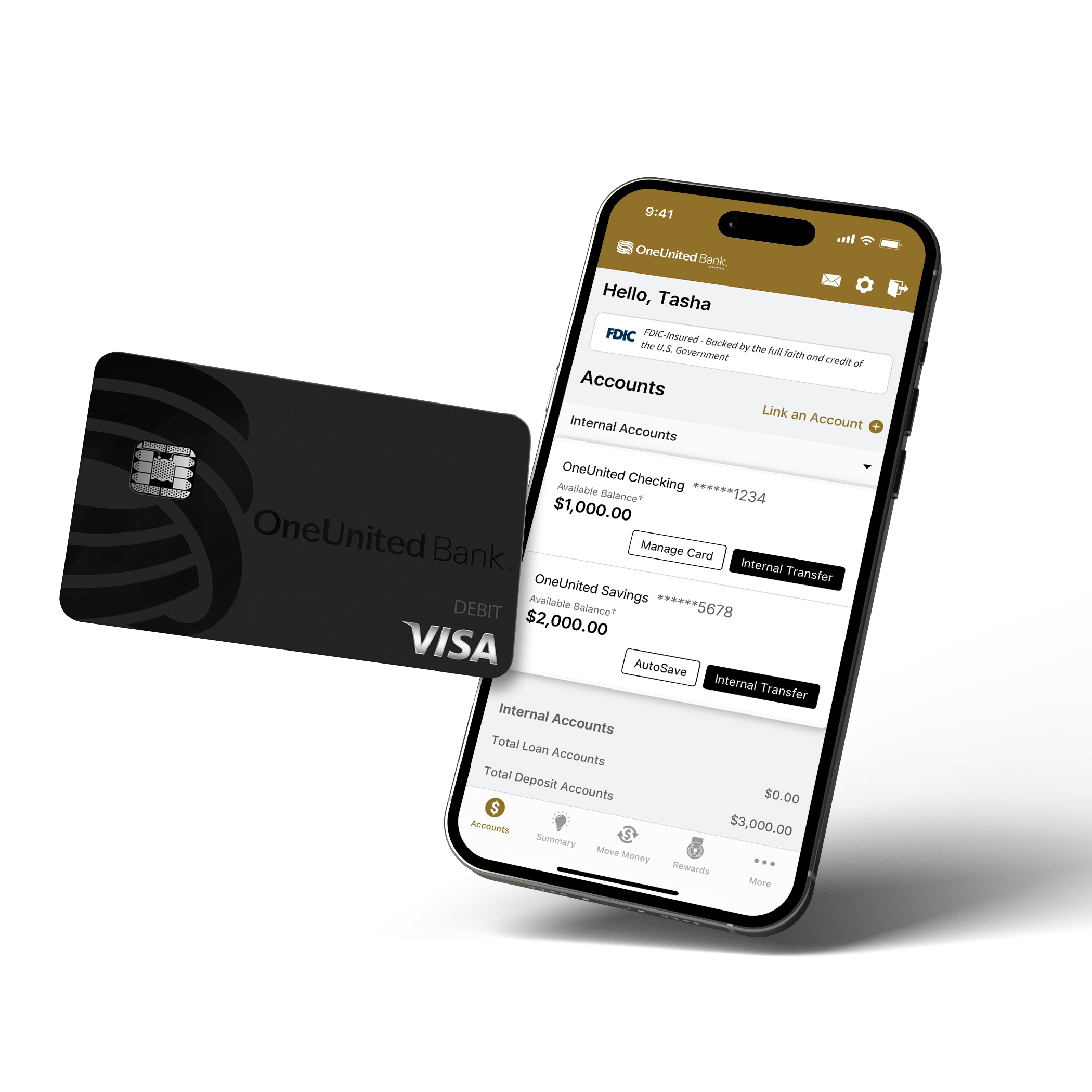
Many modern fintech platforms and community financial institutions offer Second Chance Banking options. These specialized deposit products either do not use ChexSystems screening or utilize relaxed underwriting criteria that ignore past overdraft marks.
Features to Look for in a Second Chance Account
- No Monthly Maintenance Fees: Many digital institutions offer zero-fee accounts with no minimum balance requirements.
- Full Online and Mobile Banking: Access mobile check deposit, online bill pay, and instant peer-to-peer transfers.
- Graduation Options: Look for accounts that automatically upgrade you to a standard checking product after 12 months of positive management.
- Non-ChexSystems Screening: Certain providers screen applicants through alternative databases like Early Warning Services (EWS) or rely solely on ID verification (IDology).
Frequently Asked Questions (FAQs)
Can I remove a paid ChexSystems record?
Paying off an old balance changes the entry status from “Unpaid” to “Paid,” but the record will remain on your file for five years unless you negotiate a “Pay for Deletion” agreement before making the payment. However, many financial institutions will approve new account applications if your report shows the balance has been resolved in full.
How long does a ChexSystems dispute take?
Under FCRA guidelines, ChexSystems must complete its investigation within 30 calendar days of receiving your complete dispute notice. If you submit additional supporting documents during the investigation, the window may extend to 45 days.
Does a ChexSystems record affect my FICO score?
No. ChexSystems operates independently of national credit bureaus. A negative entry on ChexSystems does not impact your FICO score or VantageScore. However, if a bank sends an unpaid balance to a third-party collection agency, that agency may report the debt to Experian, TransUnion, or Equifax.
How do I know if I am listed on ChexSystems?
The clearest sign is being denied a traditional checking or savings account. The financial institution is legally required under the FCRA to provide an “Adverse Action Notice” detailing the consumer reporting agency used (including ChexSystems’ contact information).
Can I open an account at a bank that doesn’t use ChexSystems?
Yes. Numerous online institutions, regional banks, and credit unions do not consult ChexSystems when evaluating new deposit applicants. Instead, they verify your identity or use alternative risk management networks.
Conclusion
A negative mark on your ChexSystems report can feel like a major roadblock to managing your everyday finances. However, you are not powerless. By pulling your free disclosure report, identifying errors, leveraging your rights under the Fair Credit Reporting Act, and using federal dispute channels, you can clean up your record and regain full access to mainstream financial services.
If you need immediate access to direct deposit or a debit card today, consider opening a second-chance banking account while your disputes process in the background. Taking action now puts you back in control of your financial freedom.